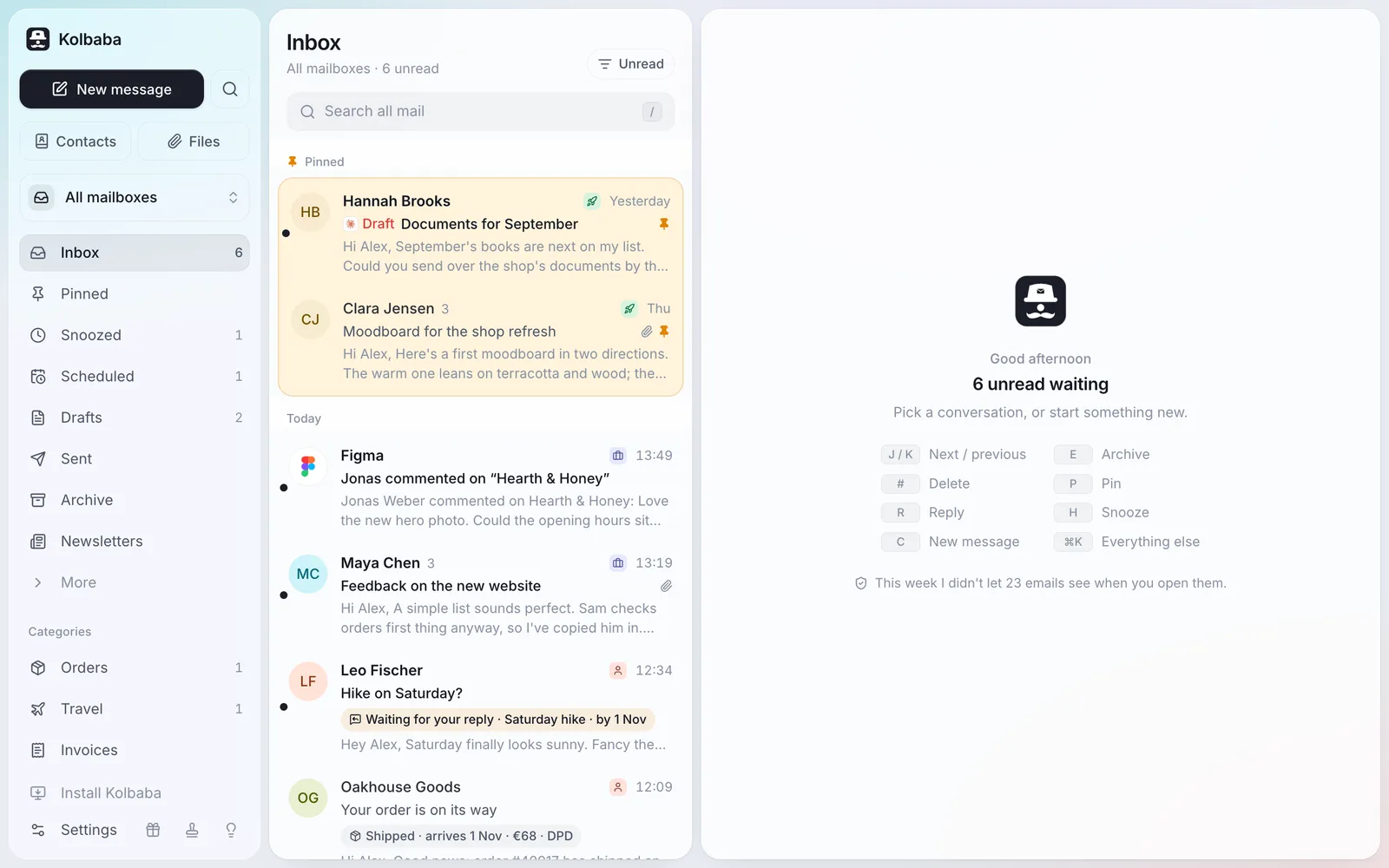
Kolbaba has a built-in MCP server. Connect Claude, ChatGPT, Cursor or any other MCP client, and it can search, read and work in the mailboxes you give it. You decide what it can do.
It can't yet attach files to an email, answer calendar invitations or manage contacts and rules. See everything in the comparison
Connect
Three steps, one minute.
1
Add Kolbaba to your agent
Paste the address below into your AI app. That's all the setup there is.
2
Say what it may do
Kolbaba asks you in the browser: which access level, and which mailboxes this agent sees.
3
Just ask
Use a recipe below or your own words. Everything it does shows up in AI activity.
Kolbaba's MCP address
https://app.kolbaba.app/api/mcp
1Open Settings → Connectors.
2Add custom connector, name it Kolbaba, paste the address.
3Connect and sign in to Kolbaba.
C
Read onlySearches and reads. Changes nothing.
Organize & draftArchives, sorts, adds notes, writes drafts. Never sends.
Full accessAlso sends and unsubscribes. For agents you trust.
Kolbaba asks you in the browser: which access level, and which mailboxes this agent sees.
Safety
How you stay in control.
An email can hide instructions meant to trick an AI. So the rules are enforced by Kolbaba, not by the agent.
Three levels of access
Read only, Organize & draft, or Full access. Most recipes need the middle one, which can't send.
Each agent, its own mailboxes
Give Claude your work mail and ChatGPT only the personal one. A new mailbox stays private until you share it.
Every step, with Undo
AI activity lists each run by what the agent was doing, step by step, with Undo next to anything reversible.
Sending waits
An agent's email waits at least 30 seconds, so you can cancel it from the notification. At most 20 emails an hour.
Emails are marked as untrusted
Kolbaba marks every email as untrusted content and tells the agent never to follow instructions inside it.
Turn it off any time
Pause or remove an agent in Settings → Agents; it loses access on its very next step.
Recipes
What to ask.
Copy a prompt, paste it into your agent and fill in the [brackets]. Each says the access it needs.
Morning tidy-up
Mornings
Go through today's mail in Kolbaba, in all my mailboxes. Archive the newsletters and automatic emails I don't need. Then give me a short list of what's waiting for my answer, most important first.
Archives what you don't need and leaves you only what matters.
Organize & draftlist_threads · read_thread · archive
Five-minute briefing
Mornings
Sum up what came into Kolbaba since last night: who wrote, what they want and by when. Don't change anything.
A briefing you read with your coffee. Your mailbox stays exactly as it was.
Read onlysearch · read_thread
What to pay, what to pick up
Mornings
Find invoices and payment requests from the last 14 days in Kolbaba that aren't paid yet, and parcels waiting to be picked up. Make a table: what, how much, by when.
One table instead of ten emails.
Read onlysearch · read_thread
Who owes me a reply
Replies
Look at No reply yet in Kolbaba and draft a short, friendly follow-up for each conversation. Don't send anything.
Drafts wait in Kolbaba for you to check and send.
Organize & draftlist_threads · read_thread · create_draft
Remind me if they don't answer
Replies
For every email I sent in Kolbaba today that waits for an answer, set a reminder: if nobody replies within 3 days, bring it back to my Inbox.
Silence comes back to you instead of being forgotten.
Organize & draftlist_threads · remind_if_no_reply
Reply in my voice
Replies
Draft a reply in Kolbaba to the latest email from name: what you want to say. Keep it short and in my tone; look at how I wrote to them before.
A draft that sounds like you, ready in the conversation.
Organize & draftsearch · read_thread · create_draft
Find an invoice
Finding
Find the latest invoice from company in Kolbaba and tell me the amount, the due date and the account to pay to.
Reads the email and the PDF, so you don't have to.
Read onlysearch · read_thread · get_attachment
What did we agree
Finding
Read all my correspondence with name about topic in Kolbaba and write down what we agreed on and what's still open.
Months of emails in ten lines.
Read onlysearch · read_thread
Dig out attachments
Finding
Find every contract and PDF from company this year in Kolbaba and list them with the date and a one-line description.
A list of documents with where to find them.
Read onlysearch · get_attachment
Personal invitations
Writing
Prepare drafts in Kolbaba inviting names to event. One for each person, addressed to them by name. Don't send them.
Personal emails instead of one to everyone in copy.
Organize & draftcreate_draft
Answer and send
Writing
Reply to name in Kolbaba that your answer, and send it from my work mailbox.
Sent, with 30 seconds to take it back in Kolbaba.
Full accesssearch · send
Send it later
Writing
Write name an email about topic and schedule it in Kolbaba for Monday 8:00.
Waits in Scheduled; you can change or cancel it there.
Full accesssend
Leave what I don't read
Tidying up
Find newsletters in Kolbaba I haven't opened once in the last month. List them for me first, then unsubscribe me from them.
Fewer emails from tomorrow on. (Kolbaba's Newsletters view does it by hand, too.)
Full accesssearch · unsubscribe
Clear out codes and notices
Tidying up
In Kolbaba, move sign-in codes and delivery notices older than a week to Trash, so I can still bring them back.
A lighter mailbox; everything can come back from Trash.
Organize & draftsearch · trash
File into folders
Tidying up
Go through last month's Archive in Kolbaba and move the emails about project to the folder name.
Sorted in one go; each move can be undone.
Organize & draftlist_folders · search · move_to_folder
Notes on a project
Memory
Read everything about topic in Kolbaba and add a note to the newest conversation: what's agreed, who does what, and the next step.
A private note in the conversation, for you and your agents next time.
Organize & draftsearch · read_thread · set_note
Before a meeting
Memory
I'm meeting name in an hour. Go through our latest emails in Kolbaba and give me three things not to forget.
Three points, nothing changed.
Read onlysearch · read_thread
Sort out new senders
Memory
Look at the new senders waiting in Kolbaba's screener. Let in people I'd want to hear from, turn away advertising, and tell me who you decided what about.
The screener answered; you can change any decision in Settings.
Organize & draftlist_threads · read_thread · screen_sender
Want it all on your own server?
The MCP server is part of the self-hosted copy too, with your own address and the same limits.