Tasks

A to-do list next to your mail.

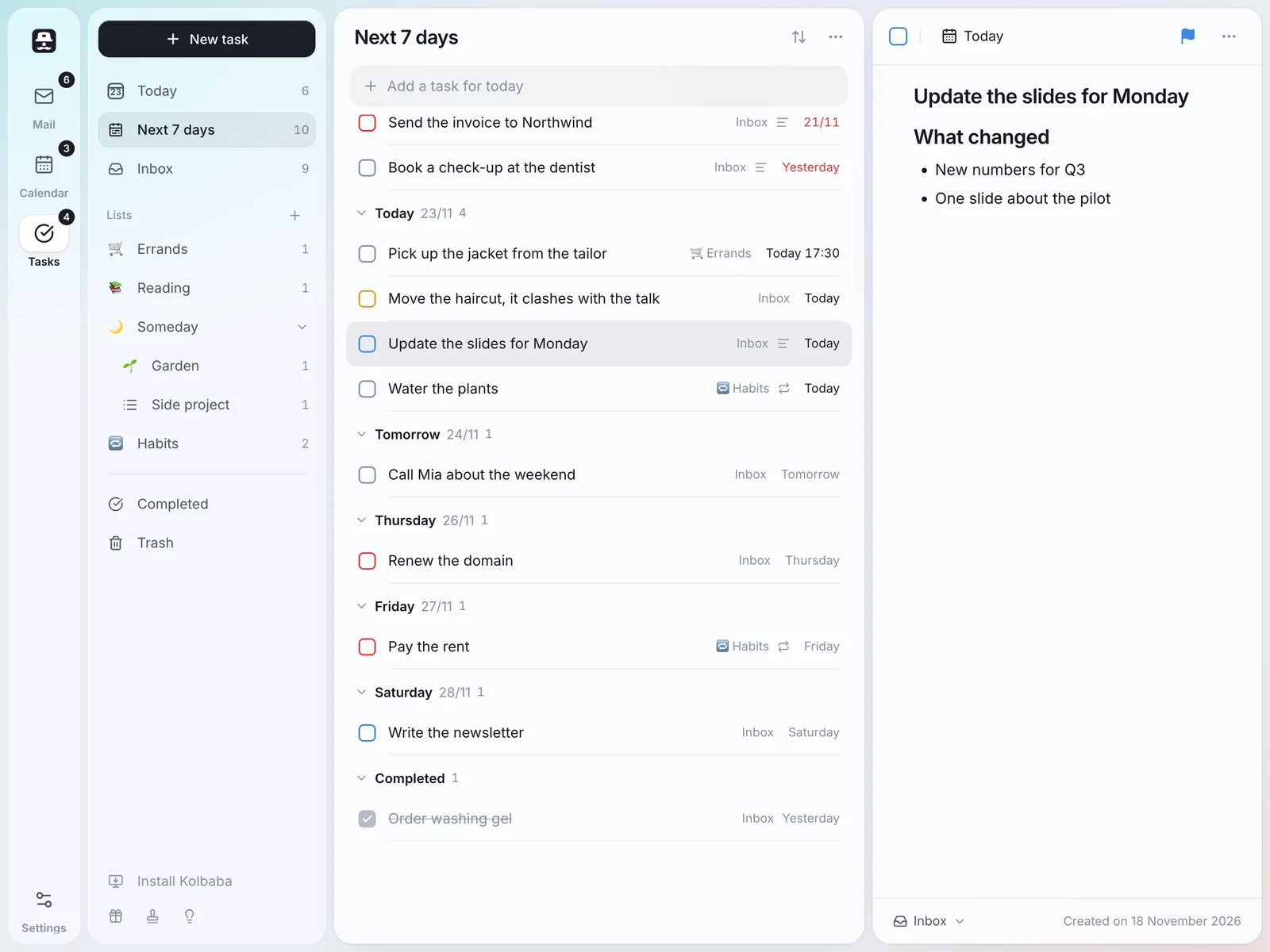
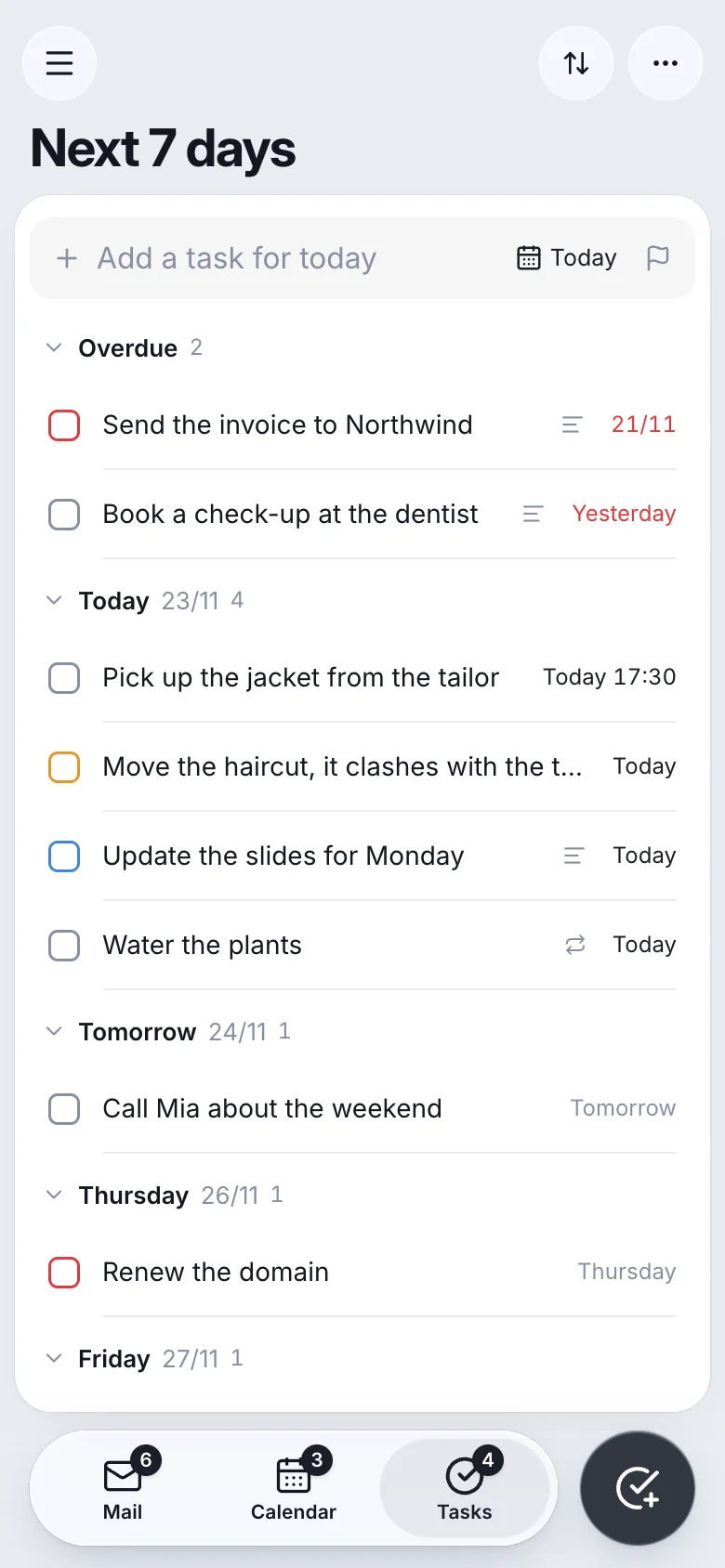
Write a task in one line, with its day, time and priority. Today and Next 7 days show what's left, and what's late is in red.

Kolbaba's to-do list: the next 7 days with overdue tasks in red, lists like Errands and Habits in the sidebar, and one task open with its notes.

Coming from TickTick?

Download a backup in TickTick (Settings → Account → Backup) and choose Import from TickTick in Kolbaba's tasks. Importing the same backup twice adds nothing.

  • Lists and folders
  • Open and finished tasks
  • Days and times
  • Priorities
  • Notes and checklists
  • Repeating tasks
With your agent

Your agent can add tasks for you.

Share your tasks with Claude, ChatGPT or another agent, and it can read your lists, add a task from an email, change its day or priority, tick it off or move it to Trash. Read only lets it look without changing anything, and every step can be undone in AI activity.

Requests into tasks

Calendar and tasks

Go through today's mail in Kolbaba and add a task for everything someone asked me to do, with the day they need it by. Put them in my Work list.

What people want from you lands on your to-do list, with a day.

Organize & draftlist_threads · read_thread · list_task_lists · create_task

Sort out what's late

Calendar and tasks

Look at my overdue tasks in Kolbaba. Tell me which three to do today, and move the rest to next week.

A shorter list for today; every move can be undone.

Organize & draftlist_tasks · update_task

Plan my day

Calendar and tasks

Look at today's events and tasks in Kolbaba and make me a plan for the day: which task to do when, between the meetings. Don't change anything.

A plan for today that fits around your meetings.

Read onlylist_events · list_tasks
All recipes for agents
FAQ

Questions about tasks.

Where are my tasks kept?

In your Kolbaba account, or on your own server if you run Kolbaba yourself. They don't go to your mail or calendar provider.

Can I import my tasks from TickTick?

Yes. Download a backup in TickTick (Settings → Account → Backup) and choose Import from TickTick in Kolbaba's tasks. Lists, folders, days, priorities, notes and repeating tasks come over. Reminders and tags stay behind.

Which words does the add line understand?

At the end of the line: today, tomorrow, a time like 9:00, and !high, !medium or !low. In Czech too: dnes, zítra, pozítří and !vysoká, !střední, !nízká.

Does it work on my phone?

Yes. On the phone your tasks open full screen. Hold a task to pick several and change them at once, or hold and drag it to move it.

Does it cost anything?

No. Tasks are part of free Kolbaba, together with the mail and the calendar.

Finally, for both of you.

Open Kolbaba in your browser, connect a mailbox and its calendar, then your agent. Free to use.

Open Kolbaba